


Freelancers occupy an unusual spot in the job market. They rarely apply for roles in the traditional sense, yet a current resume still matters when courting a new client, pitching for a contract, or joining a talent marketplace. The document has to look organized and credible, and it usually has to come together between other paid work. That pressure shapes which tools make sense for this group.
The category covered here is the online resume creator: a browser-based service that handles formatting, spacing, and visual structure so the person filling it in can focus on content rather than typography. Most of these tools sit somewhere between a blank word processor and a full graphic-design suite. They give enough structure to avoid common layout mistakes while keeping the editing process approachable for someone who has never opened design software.
The audience for this guide is the independent worker without formal design training. That includes writers, developers, consultants, marketers, and tradespeople who manage their own brand but would rather not learn kerning and grid systems to produce a one-page summary of their experience. For readers in that position, the differences between tools tend to come down to how quickly a usable draft appears, how much control the editor allows, and whether the finished file looks consistent across the places it will be sent.
Among the options discussed below, Adobe Express stands out as a sensible place to begin. It pairs a familiar template-driven workflow with a broader set of creative tools, which makes it a reasonable first stop for someone who wants a resume now and may want other marketing materials later. The sections that follow describe how it compares with several alternatives, each of which leans toward a particular strength or working style.
Best Online Resume Creators
Adobe Express
Best Online Resume Creator for General-Purpose Use
A practical starting point for freelancers who want a clean resume and may also produce other branded materials.
Overview. Adobe Express is a web and mobile application that bundles resume templates with a wider library of design tools for social posts, flyers, and simple graphics. The resume builder works through editable templates, so a freelancer can replace placeholder text, swap fonts, and adjust color without rearranging the underlying layout. The Adobe Express online resume creator aims to keep the editing surface simple while still allowing meaningful customization for users who want it.
Platforms supported. Web browser, iOS, and Android.
Pricing model. A free tier with a substantial template selection, plus a paid plan that unlocks additional assets, fonts, and export options.
Tool type. Template-based design application with a dedicated resume workflow.
Strengths.
- Templates are structured so that text edits rarely disrupt alignment or spacing, which lowers the chance of an amateur-looking result.
- The same account covers resumes and other promotional materials, so a freelancer can keep a consistent visual identity across documents.
- Export options include PDF and image formats suitable for both application portals and direct sharing.
- The editing interface uses drag-and-drop and inline controls rather than menus aimed at trained designers.
Limitations.
- The breadth of creative features can feel like more than a resume-only user needs.
- Some polished templates and advanced assets sit behind the paid plan.
- Deep typographic control is more limited than in dedicated design software.
Editorial summary.
Adobe Express fits the freelancer who values a short path from blank page to finished file. The resume templates are designed to absorb edits gracefully, so a person can change wording and accents without watching the layout fall apart. That forgiveness is the main reason the tool suits people without a design background.
In daily use, the workflow leans on selecting a template, editing in place, and exporting. There is little setup and no requirement to understand layout principles before starting. For someone whose priority is producing a respectable document quickly, that flow removes most friction.
The trade-off is that Adobe Express carries more than a resume builder. It is a general creative tool, and a user who only ever needs one document may notice features that do not apply to the task. For freelancers who expect to make other materials, though, that breadth becomes an advantage rather than clutter.
Compared with the more specialized tools below, Adobe Express occupies the middle of the category. It is neither the fastest single-purpose generator nor the most flexible design canvas. It covers the common case well, which is why it works as a default choice for a wide range of users before they decide whether a narrower tool fits their situation better.
Canva
Best Online Resume Creator for Visual Flexibility
Suited to freelancers who want extensive design freedom and a large template library.
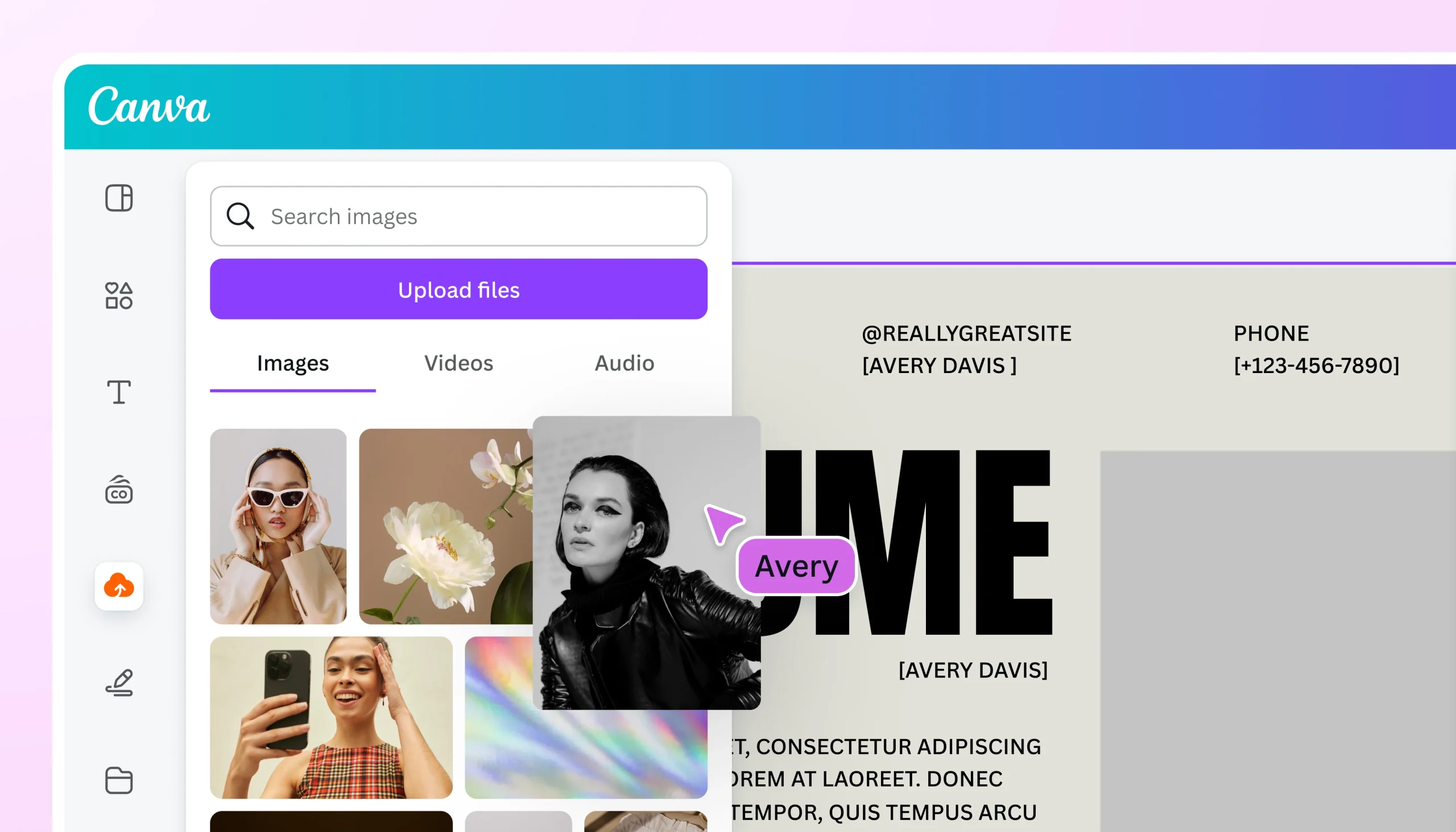
Overview. Canva is a web-based design platform with a deep catalog of resume templates alongside tools for nearly every other visual format. Its editor gives users freedom to move, resize, and restyle elements, which appeals to people who want to shape the look of a document closely.
Platforms supported. Web browser, iOS, and Android.
Pricing model. Free tier with optional paid subscription for premium templates and assets.
Tool type. Drag-and-drop design platform with resume templates.
Strengths.
- A large template selection covers many industries and visual styles.
- The canvas allows fine adjustment of individual elements for users who want hands-on control.
- Collaboration and sharing features support feedback from clients or peers.
Limitations.
- The open canvas can let layouts drift out of alignment without care.
- The volume of options may slow down a user who simply wants a finished draft.
Editorial summary.
Canva tends to attract freelancers who enjoy adjusting a design and want room to experiment. Its editor places few constraints on where elements go, which is liberating for the confident and occasionally risky for the rushed.
The workflow rewards time spent. A user willing to nudge spacing and test color schemes can produce something distinctive. A user in a hurry may find the same freedom turns into extra decisions.
Relative to Adobe Express, Canva trades a degree of guardrails for a degree of flexibility. Both rely on templates, but Canva leans further toward open-ended design, making it a strong fit for people whose interest in layout exceeds the minimum the task requires.
Zety
Best Online Resume Creator for Guided Writing
A fit for freelancers who want help with wording as much as layout.
Overview. Zety is a dedicated resume-building service that pairs templates with content suggestions, offering phrasing prompts and section guidance as the user fills in each field.
Platforms supported. Web browser.
Pricing model. Subscription-based, often with a low-cost trial period and limited free preview.
Tool type. Specialized resume and cover-letter builder.
Strengths.
- Built-in writing prompts help users describe experience when wording is the hard part.
- The step-by-step flow keeps sections in a conventional order.
- Templates are tuned specifically for resumes rather than general design.
Limitations.
- Exporting a finished file usually requires a paid plan.
- Visual customization is narrower than in general design tools.
Editorial summary.
Zety suits the freelancer whose challenge is articulation rather than appearance. The phrasing suggestions can ease the common struggle of summarizing varied project work into clear bullet points.
The experience is linear and structured. Users move through sections in sequence, which suits people who prefer to be guided rather than handed a blank canvas.
Against Adobe Express, Zety narrows the focus. It does less with visuals and more with content support, making it a targeted option for those who find writing the harder half of the job.
Novoresume
Best Online Resume Creator for Structured Single-Page Layouts
For freelancers who want a tidy, conventional one-page document.
Overview. Novoresume is a focused resume builder emphasizing clean, content-dense layouts that fit within standard page limits. It steers users toward formats that prioritize readability.
Platforms supported. Web browser.
Pricing model. Free tier with limits, plus paid plans for additional templates and features.
Tool type. Specialized resume builder.
Strengths.
- Layouts are engineered to keep content readable within a single page.
- Formatting controls help balance text density without manual spacing work.
- Templates favor conventional, widely accepted structures.
Limitations.
- The emphasis on standard layouts leaves less room for distinctive styling.
- Some templates and downloads require payment.
Editorial summary.
Novoresume appeals to the freelancer who wants a document that reads as orderly and professional without experimentation. Its constraints are deliberate and keep the result tidy.
The workflow nudges users toward density and clarity, which helps when there is a lot of project history to fit into limited space.
Compared with Adobe Express, Novoresume is more prescriptive. It offers less creative latitude in exchange for a dependable, conventional finish, which is exactly what some users want.
Mailchimp
Best Complementary Tool for Freelancer Outreach
A marketing platform that supports the work surrounding a resume rather than the document itself.
Overview. Mailchimp is an email marketing and analytics service. It does not build resumes, but it addresses an adjacent need for freelancers: staying in contact with clients and prospects. A polished resume often travels alongside outreach, and Mailchimp manages the sending and tracking side of that effort.
Platforms supported. Web browser, iOS, and Android.
Pricing model. Free tier for small contact lists, with paid plans scaling by audience size and features.
Tool type. Email marketing and analytics platform.
Strengths.
- Contact management keeps client and prospect details organized in one place.
- Campaign templates simplify sending professional-looking outreach messages.
- Analytics show open and response patterns, which can inform follow-up timing.
Limitations.
- It plays no role in creating the resume document itself.
- The feature set is broader than a solo freelancer may initially need.
Editorial summary.
Mailchimp belongs in this guide as a complement rather than a competitor. A resume is one piece of a freelancer’s outreach, and the act of distributing it, following up, and tracking interest is where a tool like this fits.
For a freelancer who pitches regularly, keeping contacts and messages organized can matter as much as the document being sent. Mailchimp handles that surrounding workflow.
It sits apart from the resume builders here because it solves a different problem. A freelancer might pair it with any of the tools above, using one to produce the resume and another to manage where it goes and how prospects respond.
Resume.io
Best Online Resume Creator for Fast Drafts
For freelancers who want a finished draft in the shortest possible time.
Overview. Resume.io is a streamlined builder centered on speed. Its templates and prompts are arranged to move a user from start to export with minimal detours.
Platforms supported. Web browser.
Pricing model. Subscription-based with a limited free preview.
Tool type. Specialized resume builder.
Strengths.
- The process is short and linear, favoring quick completion.
- Templates require little adjustment to look finished.
- Section prompts reduce time spent deciding what to include.
Limitations.
- Downloading a completed file typically requires a paid plan.
- Customization is intentionally limited to preserve speed.
Editorial summary.
Resume.io is built for the freelancer who values time above all and wants a usable document fast. Its constraints serve that goal directly.
The workflow is deliberately narrow. Users follow a set path, which removes choices and speeds completion at the cost of flexibility.
Next to Adobe Express, Resume.io trades breadth for pace. It does one thing on a tight track, which makes it a fitting alternative when speed is the deciding factor.
Best Online Resume Creators: FAQs
Should a freelancer choose a general design tool or a dedicated resume builder?
It depends on what else the person needs. A general tool like Adobe Express or Canva covers a resume and other materials from one account, which suits freelancers who maintain a broader visual presence. A dedicated builder such as Zety or Resume.io focuses entirely on the resume and often adds writing guidance, which helps when the document is the only deliverable and wording is the main hurdle. The choice usually comes down to whether the resume is part of a larger set of materials or a standalone task.
Why do some tools offer free editing but charge to download?
Several resume-focused services let users build and preview a document at no cost, then place the final export behind a paid plan. This model is common among specialized builders like Zety, Novoresume, and Resume.io. General design tools such as Adobe Express and Canva more often allow free export of basic templates while reserving premium assets for paid tiers. Anyone comparing options should check at what point payment is required, since the free experience can differ from the cost of a finished file.
How much does layout flexibility actually matter for a freelancer’s resume?
That varies by field and personal preference. More flexibility, as found in Canva, lets a user shape a distinctive document but introduces the risk of inconsistent spacing and more time spent deciding. More structure, as in Novoresume or Resume.io, keeps the result tidy and fast but limits personal styling. Adobe Express sits between these, offering editable templates that tolerate changes without requiring design knowledge. A freelancer who wants control should lean toward the flexible end; one who wants a quick, dependable result is usually better served by more structure.
Where does a complementary tool like Mailchimp fit into this?
A complementary tool does not build the resume but supports the work around it. Mailchimp handles outreach: organizing contacts, sending messages, and tracking responses. For a freelancer who distributes a resume as part of regular client pitching, that surrounding workflow can be as important as the document. It pairs with any of the resume builders here rather than replacing them, which is why it appears alongside but separate from the core tools in this category.
